CyberDefenders - l337 S4uc3
Table of Contents
Scenario
Everyone has heard of targeted attacks. Detecting these can be challenging, responding to these can be even more challenging. This scenario will test your network and host-based analysis skills as a soc analyst to figure out the who, what, where, when, and how of this incident. There is sure to be something for all skill levels and the only thing you need to solve the challenge is some l337 S4uc3!
Category: Endpoint Forensics
Tools - Volatility - Wireshark - Networkminer - Brimsecurity
Questions
Q1: PCAP: Development.wse.local is a critical asset for the Wayne and Stark Enterprises, where the company stores new top-secret designs on weapons. Jon Smith has access to the website and we believe it may have been compromised, according to the IDS alert we received earlier today. First, determine the Public IP Address of the webserver?
I copied pcapng file then saved it as pcap then now I can use NetworkMiner to analyze it for me
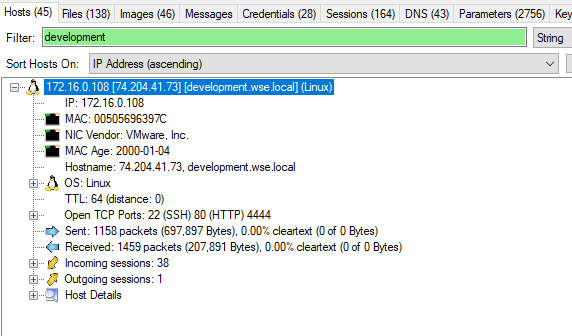
74.204.41.73
Q2: PCAP: Alright, now we need you to determine a starting point for the timeline that will be useful in mapping out the incident. Please determine the arrival time of frame 1 in the "GrrCON.pcapng" evidence file.
Just opened pcap or pcapng file, you can already see the time of the first packet
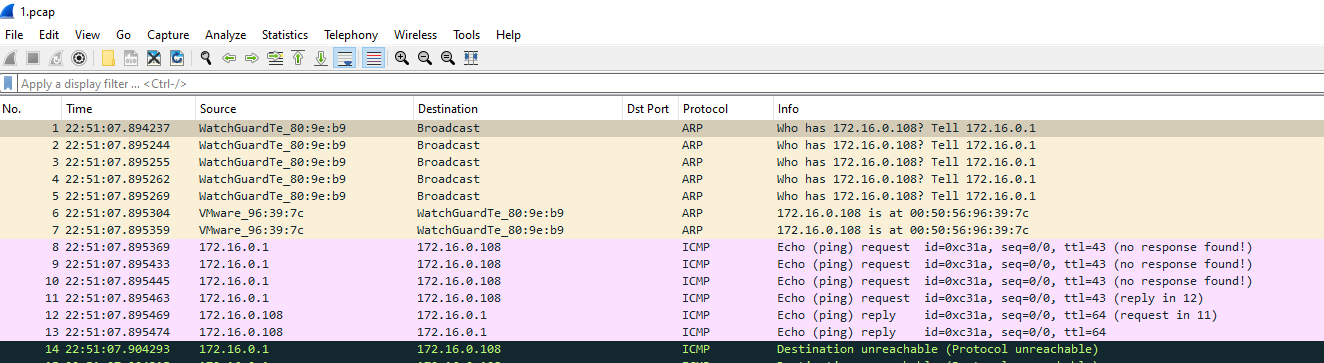
22:51:07 UTC
Q3: PCAP: What version number of PHP is the development.wse.local server running?
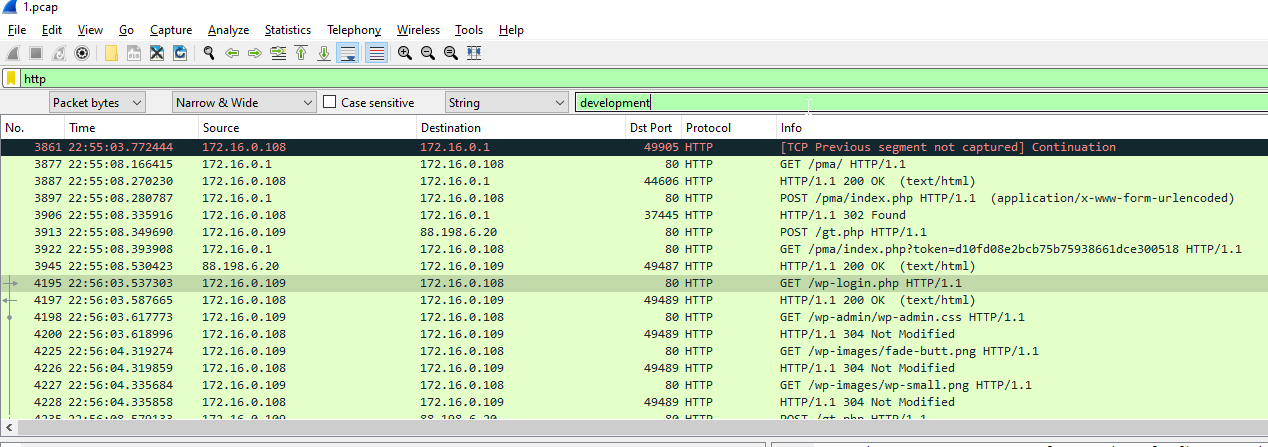
Used http filter then used Find Packet for this webserver, but you can also use IP address you got from NetworkMiner to filter
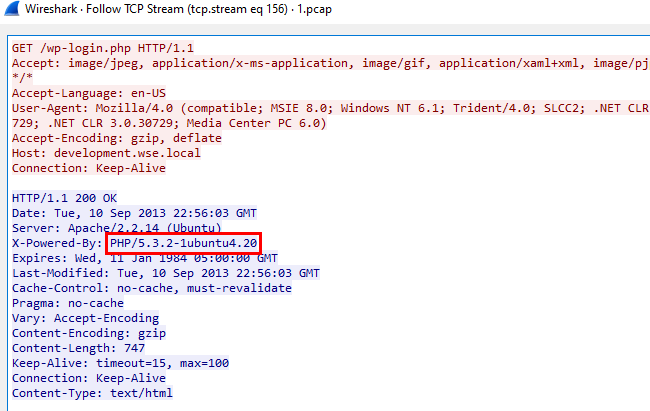
Just followed TCP or HTTP stream
5.3.2
Q4: PCAP: What version number of Apache is the development.wse.local web server using?
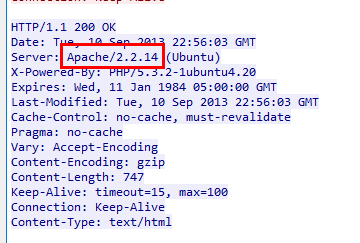
2.2.14
Q5: IR: What is the common name of the malware reported by the IDS alert provided?
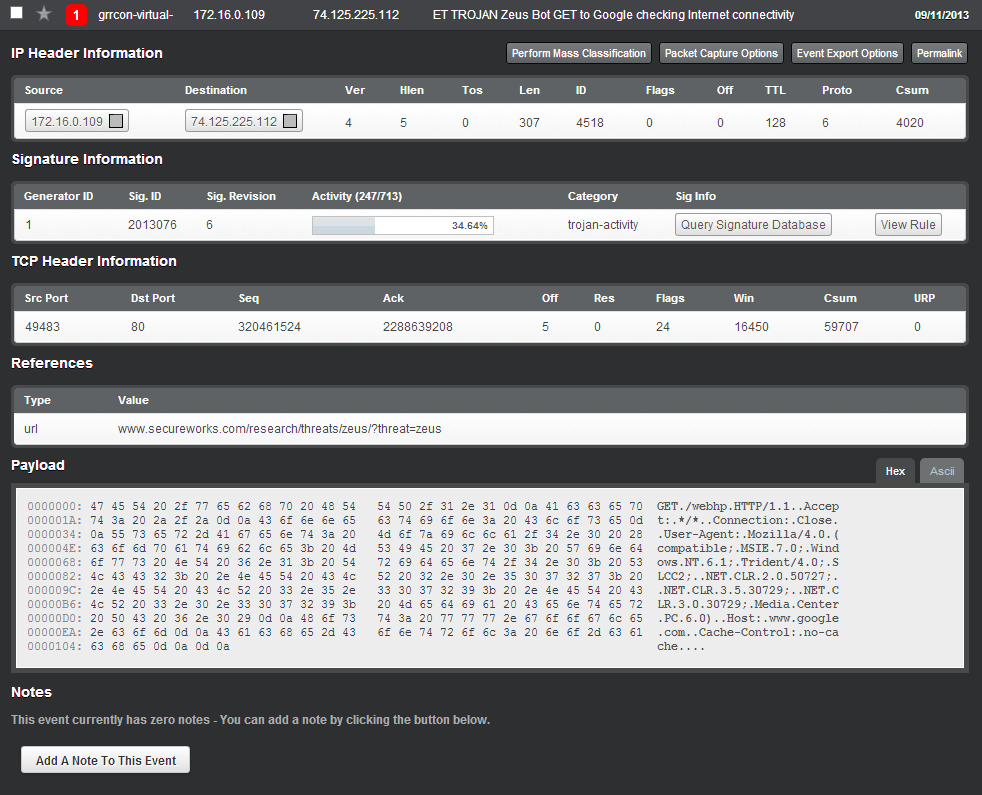
Look at the above or References, it clearly stated the malware name
Zeus
Q6: PCAP: Please identify the Gateway IP address of the LAN because the infrastructure team reported a potential problem with the IDS server that could have corrupted the PCAP
Since the webserver is on 172.16.0.0/24 then gateway should be 172.16.0.1
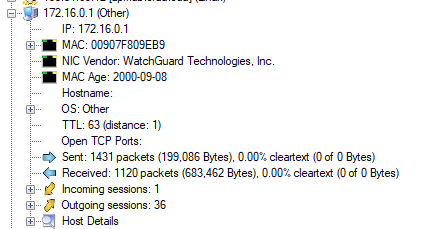
172.16.0.1
Q7: IR: According to the IDS alert, the Zeus bot attempted to ping an external website to verify connectivity. What was the IP address of the website pinged?
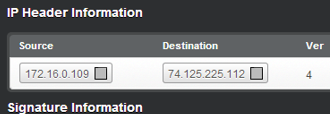
74.125.225.112
Q8: PCAP: It’s critical to the infrastructure team to identify the Zeus Bot CNC server IP address so they can block communication in the firewall as soon as possible. Please provide the IP address?
From this image, I got an infected IP address so used this as a base filter to find out which IP contacted this IP address and find for suspicious indicators
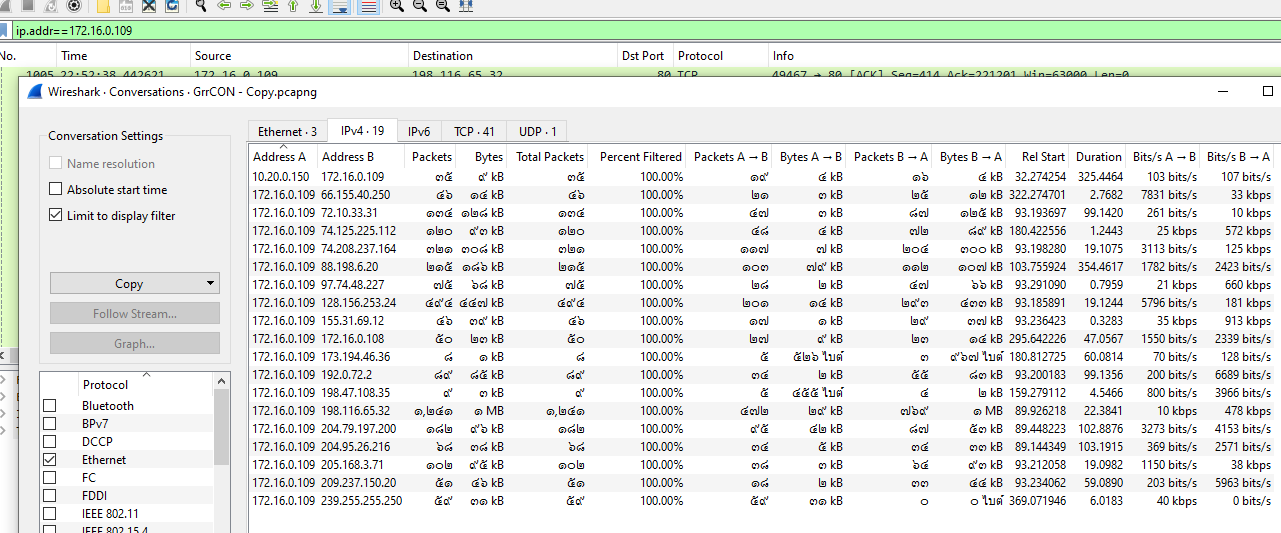
But even filtered out by this IP address, there are a lot of IP address to look out for
So I clicked for hints and it says I could use Brim and look out for SURICATA alert
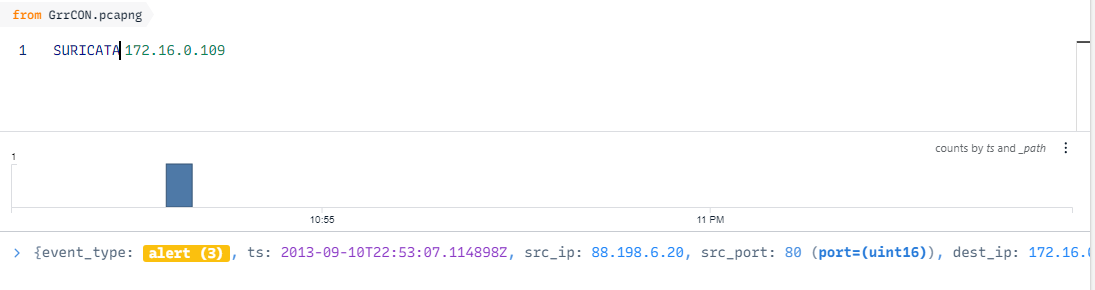
I queried with SURICATA and the infected system IP address and there is only 1 alert
88.198.6.20
Q9: PCAP: The infrastructure team also requests that you identify the filename of the “.bin” configuration file that the Zeus bot downloaded right after the infection. Please provide the file name?

I filtered out by an IP address I got from previous question then use Find Packet for .bin file, you can see there are two more exe file that was downloaded that is bt.exe and NewDesign.jpg.exe but the one that was actually downloaded is bt.exe
bt.exe
Q10: PCAP: No other users accessed the development.wse.local WordPress site during the timeline of the incident and the reports indicate that an account successfully logged in from the external interface. Please provide the password they used to log in to the WordPress page around 6:59 PM EST?

Using worldtimebuddy to convert time so the UTC time should be around 10.59PM or 22:59
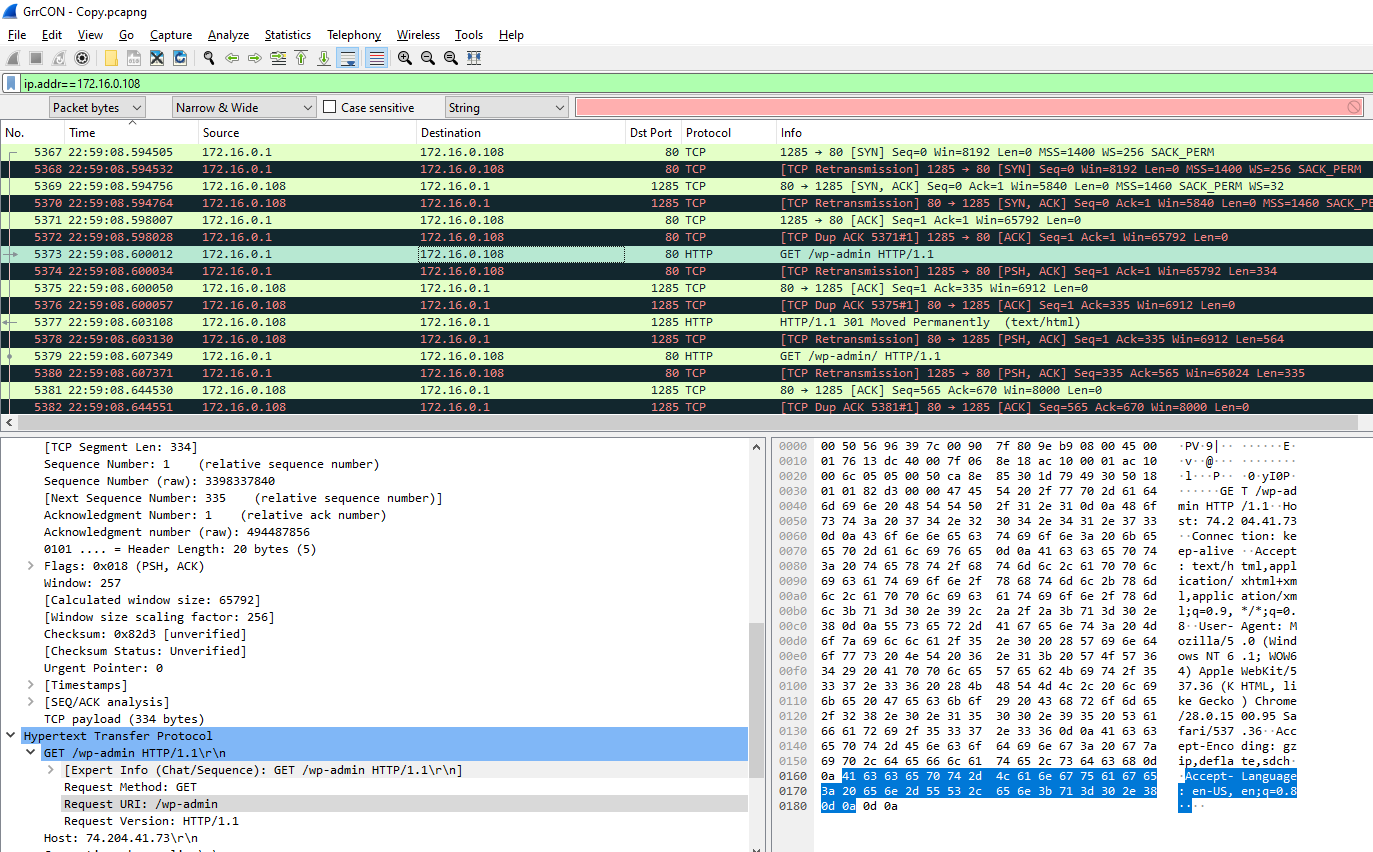
Filtered by development.wse.local IP address then went to the packet corresponding to that time, I found GET request for /wp-admin but the response is 301 and even 404

I scrolled a little down more and found /wp-login.php with 200 status
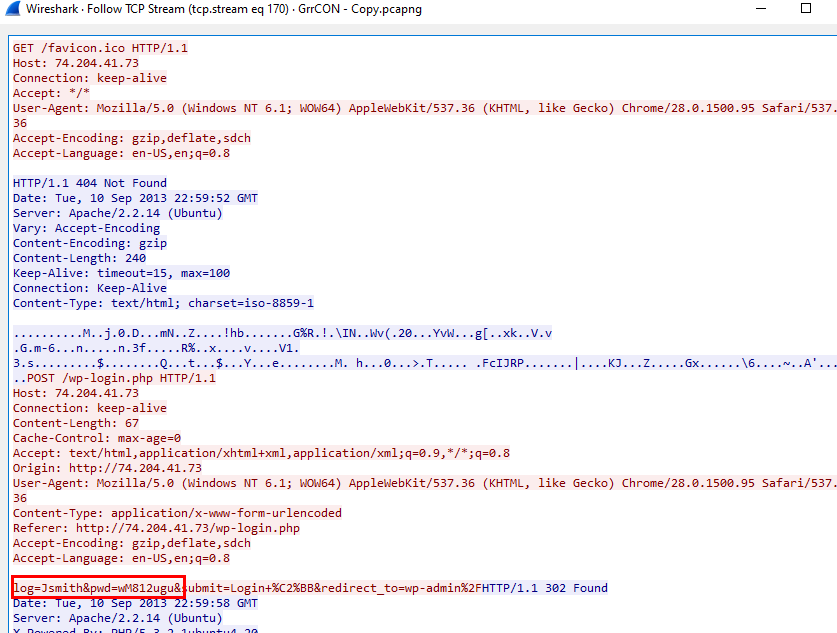
Scrolled down a little more to find POST request then followed it stream, I obtained the credentials
wM812ugu
Alternatively you can just use NetworkMiner
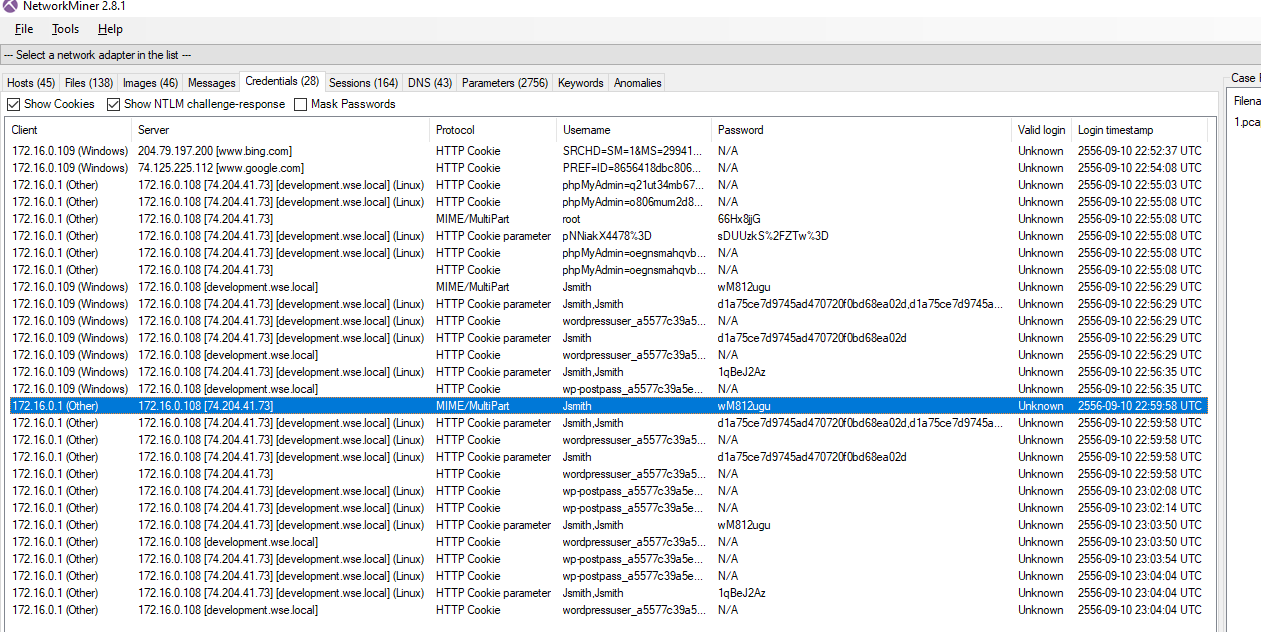
Q11: PCAP: After reporting that the WordPress page was indeed accessed from an external connection, your boss comes to you in a rage over the potential loss of confidential top-secret documents. He calms down enough to admit that the design's page has a separate access code outside to ensure the security of their information. Before storming off he provided the password to the designs page “1qBeJ2Az” and told you to find a timestamp of the access time or you will be fired. Please provide the time of the accessed Designs page?
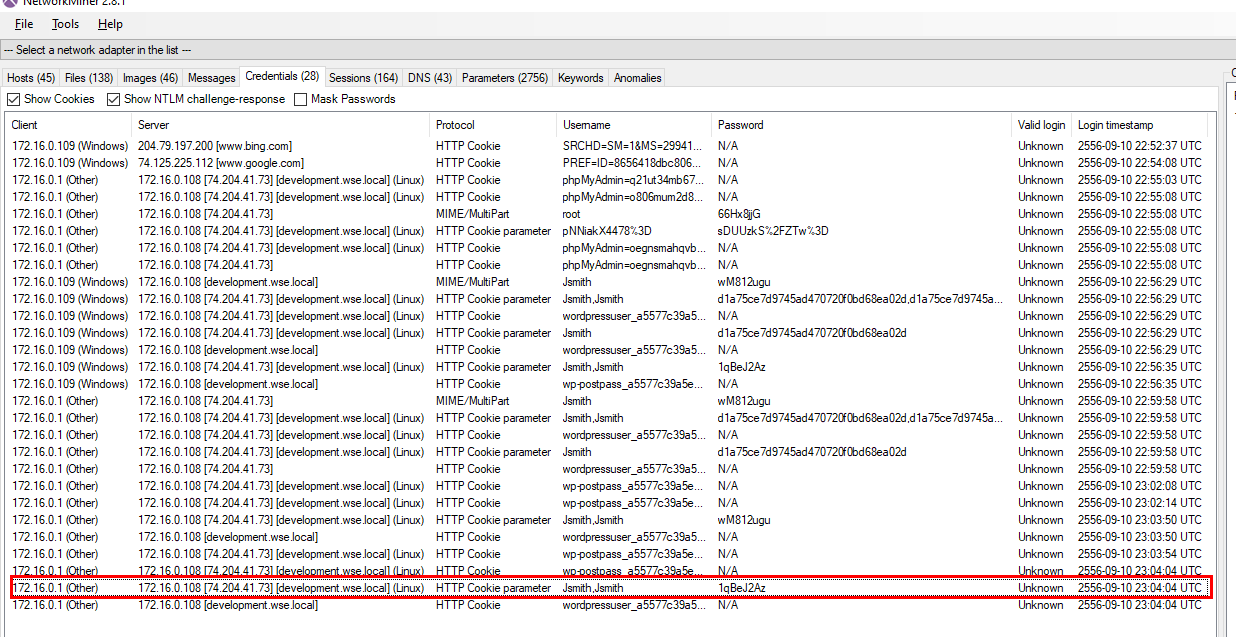
Easily obtained from NetworkMiner
23:04:04 UTC
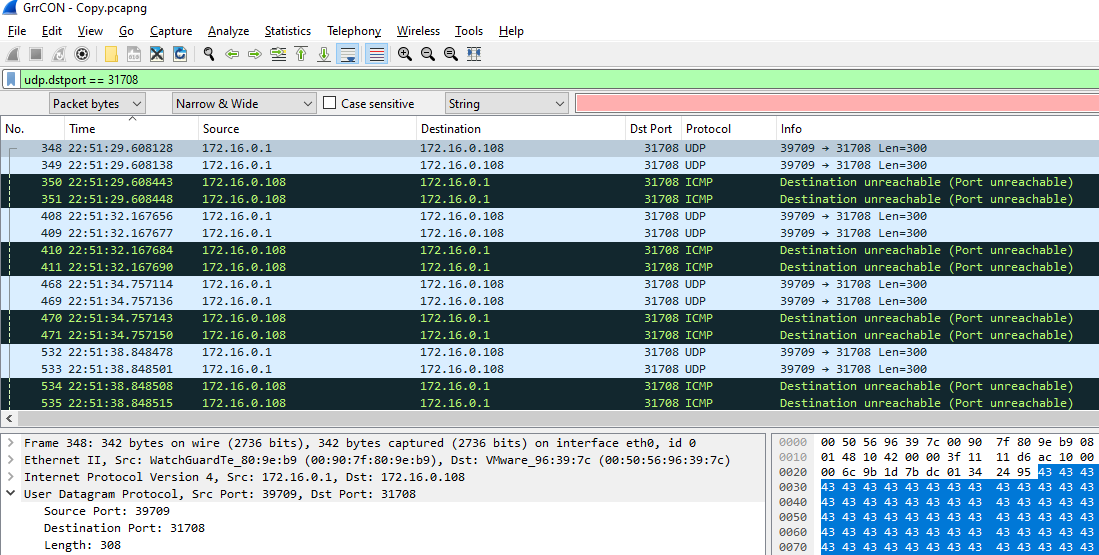
Q12: PCAP: What is the source port number in the shellcode exploit? Dest Port was 31708 IDS Signature GPL SHELLCODE x86 inc ebx NOOP
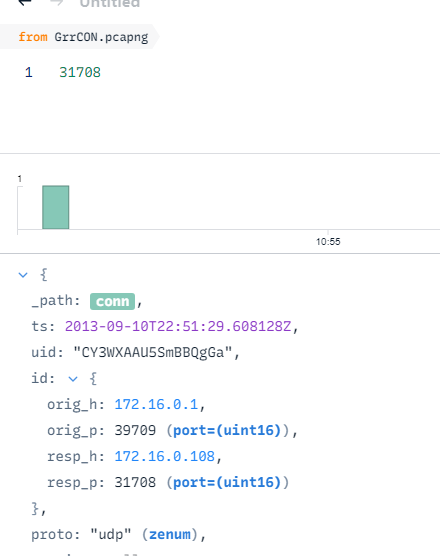
On Brim, just queried dest port there is only 1 result
39709
Alternatively, on wireshark you can use dstport filter
Q13: PCAP: What was the Linux kernel version returned from the meterpreter sysinfo command run by the attacker?
Used Find Packet loonking for sysinfo then followed TCP stream
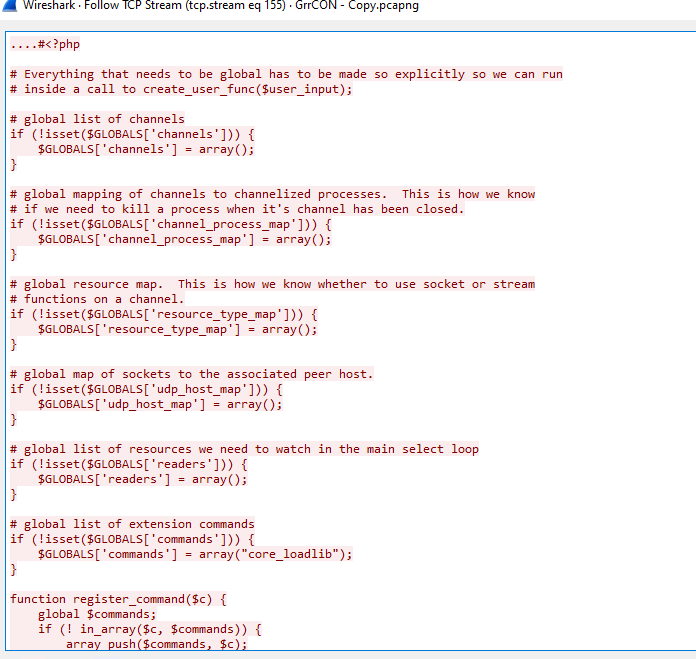
You can see php meterpreter reverse shell script that was used
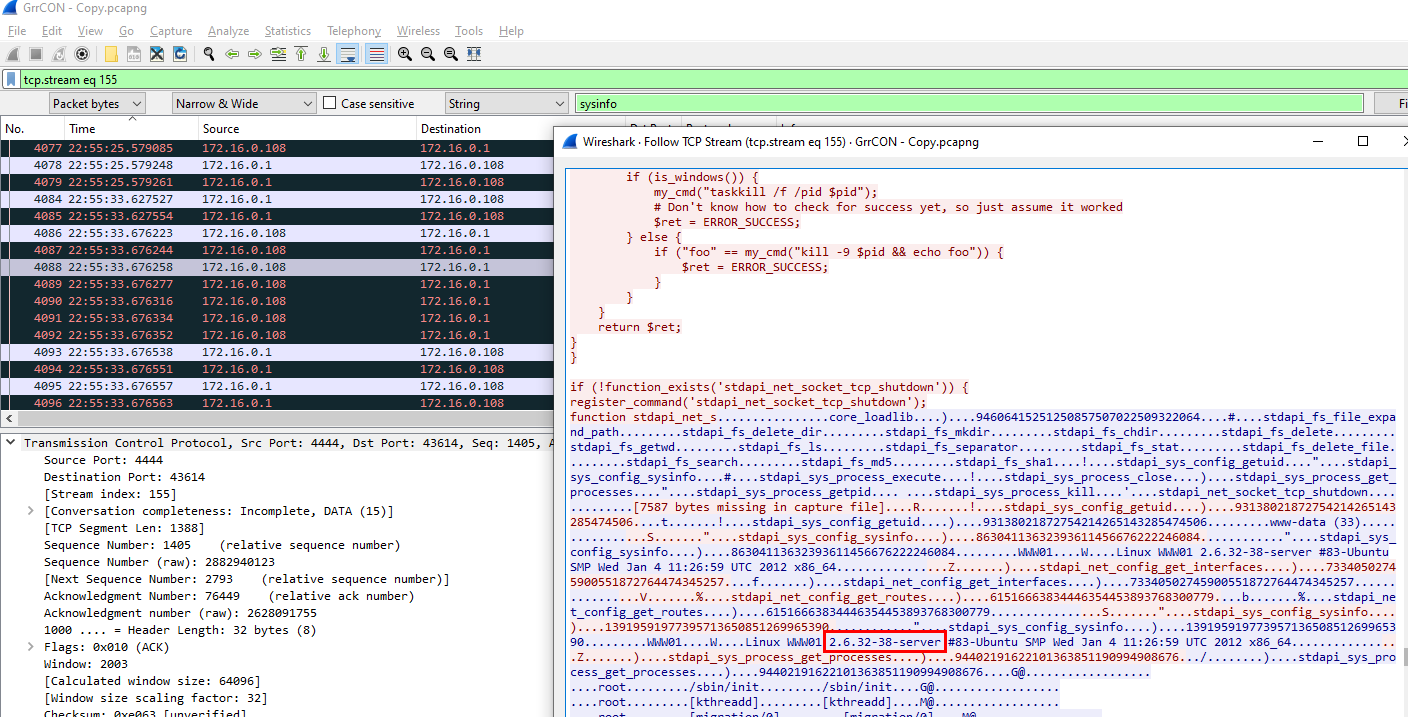
Kept scrolling down, you will obtain this answer
2.6.32-38-server
Q14: PCAP: What is the value of the token passed in frame 3897?
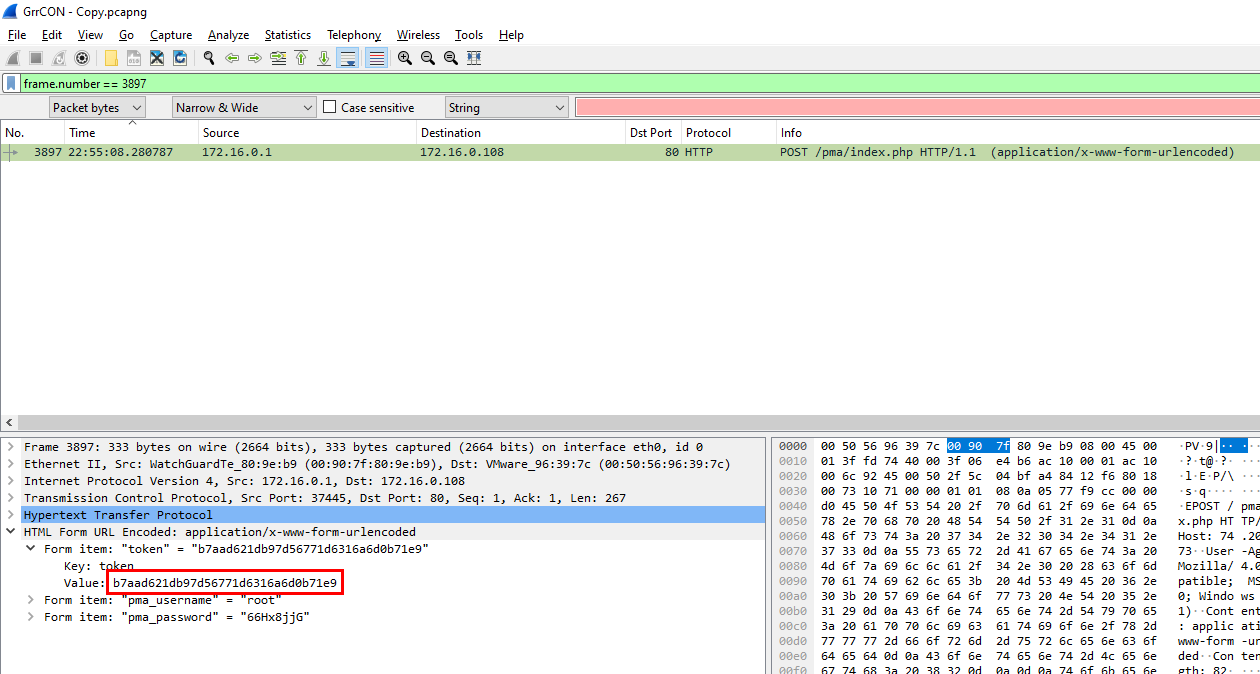
Just filtered by frame number then you can see it is a HTML form so you will get the answer there
b7aad621db97d56771d6316a6d0b71e9
Q15: PCAP: What was the tool that was used to download a compressed file from the webserver?
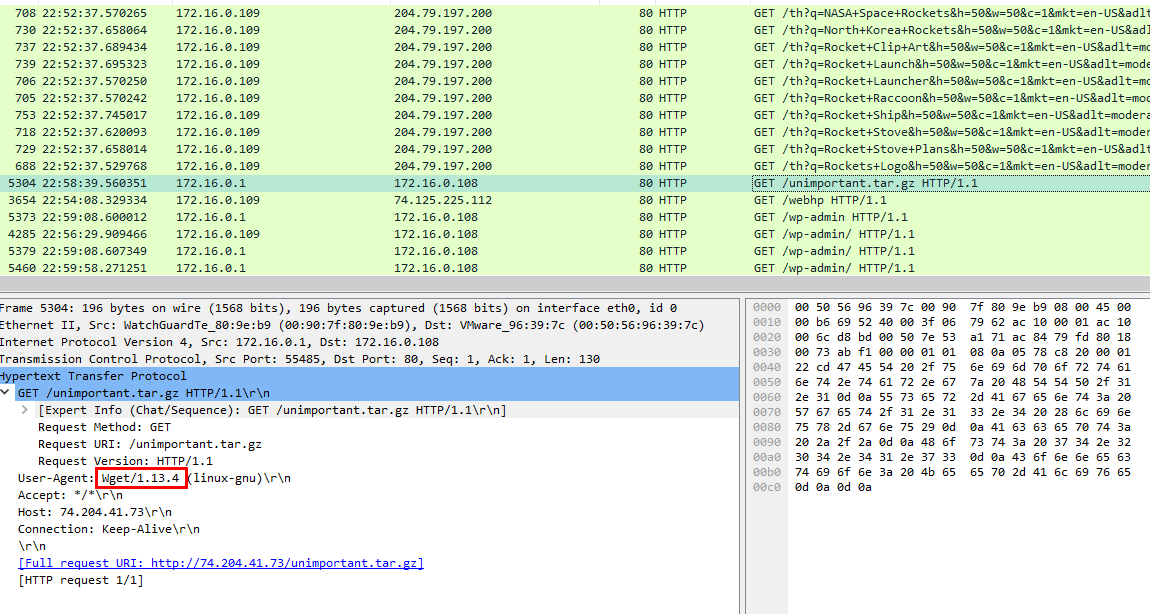
I searched by various type of compressed file extension and finally found one and it was downloaded via wget
wget
Q16: PCAP: What is the download file name the user launched the Zeus bot?
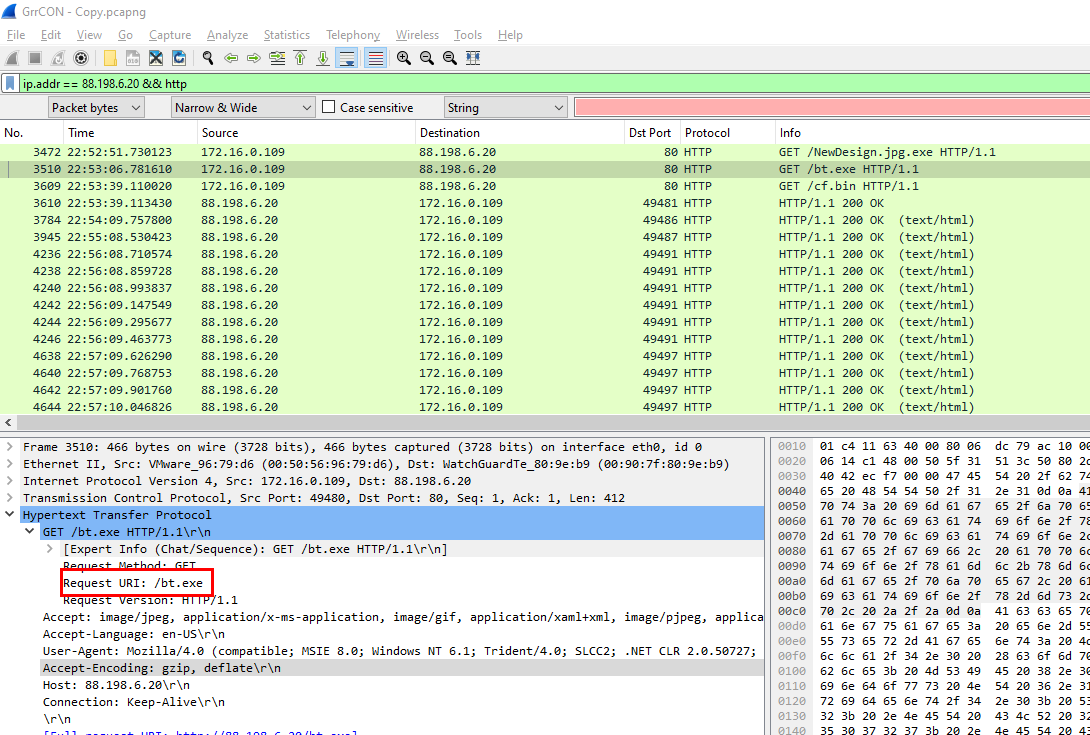
filtered by an IP address that found on previous question, there is 2 exe files worth looking for but after checking HTTP response only bt.exe is left
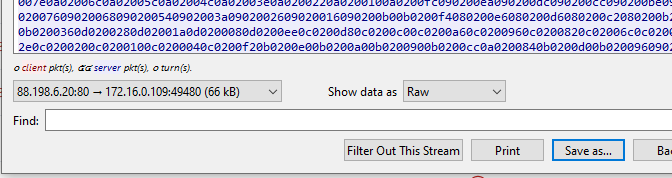
Exported this file to calculate hash
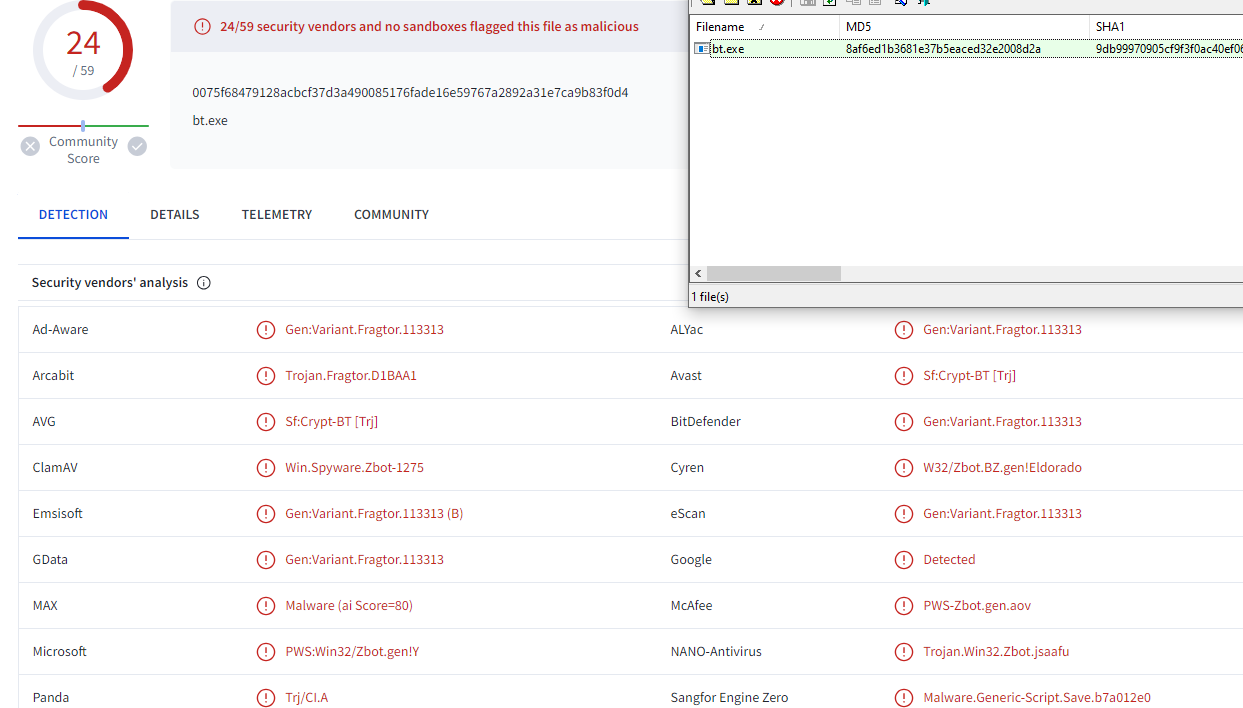
confirmed
bt.exe
Q17: Memory: What is the full file path of the system shell spawned through the attacker's meterpreter session?

I started by checking system information on this memory and look like we got the right one (Server)
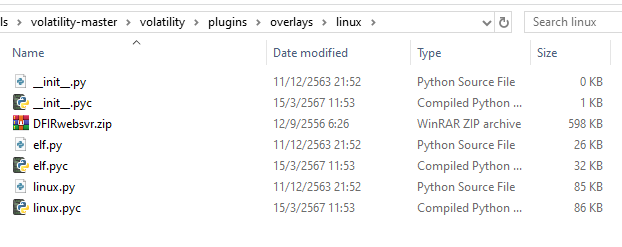
Next, in this lab we must use Volatility 2 with this specific profile so move this zip file to volitility\plugins\overlays\linux then volatility will recognize this profile

to confirm this, use --info and look for the DFIR profile, there it is
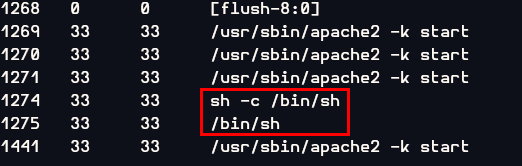
Next I used linux_psaux plugin to list all processes which I fould PID 1274 and 1275 are bash shell
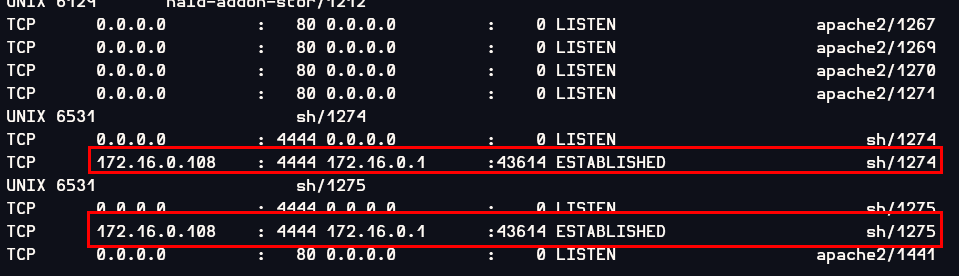
To confirm that those shells assosiated with this attack, I used linux_netstat to find the connection of the meterpreter session which result showed that those process are shells spawned from meterpreter sessions (metasploit default port is 4444)
/bin/sh
Q18: Memory: What is the Parent Process ID of the two 'sh' sessions?
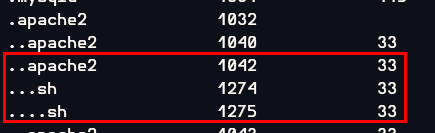
I used linux_pstree to show the process tree and then the result showed that PID 1275 is a child process of PID 1274 and PID 1274 is a child process of PID1042 apache2 process which make sense that an attacker exploited webserver to gain a meterpreter shell (PID 1274) then meterpeter spawned bash shell again (PID 1275)
1042
Q19: Memory: What is the latencyrecordcount for PID 1274?
I had no idea about this question so I used hints

Used linux_pslist plugin to find offset of this meterpreter process then use linux_volshell to access a function to analyze that offset

Then using dt("task_struct",0xffff880006dd8000) to display type of data structure, we will obtain the answer
0
Q20: Memory: For the PID 1274, what is the first mapped file path?

There is a plugin specific for this question which is linux_proc_maps
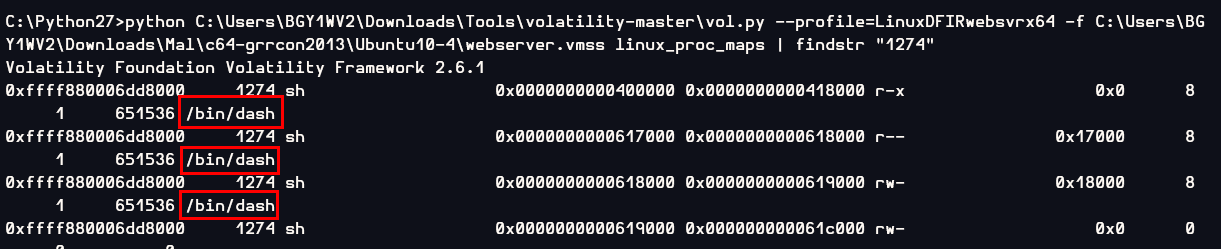
/bin/dash
Q21: Memory:What is the md5hash of the receive.1105.3 file out of the per-process packet queue?

There is a plugin specific for this question which is linux_pkt_queues and use with -D to provide output directory

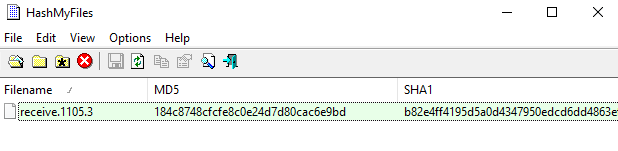
184c8748cfcfe8c0e24d7d80cac6e9bd
https://cyberdefenders.org/blueteam-ctf-challenges/achievements/Chicken_0248/l337-s4uc3/